How to Create a Recruitment Website on WordPress - Detailed Guide

Hiring the right talent requires more than just posting vacancies on third-party platforms. Businesses today benefit from having a dedicated careers platform that gives them full control over job listings, applications, and candidate communication. When you create a recruitment website, you build a centralized system where applicants can explore opportunities, submit resumes, and learn about your company culture in one place.
Using WordPress makes the process practical and cost-effective. With the right theme, structured pages, and recruitment tools, you can design a professional hiring portal without advanced technical skills. From publishing job openings to managing applications efficiently, a well-built recruitment website simplifies your hiring workflow while presenting your brand as organized and credible to potential candidates. You can further streamline the setup process by using a powerful website builder for WordPress, which allows you to create structured recruitment pages, customize layouts, and manage job listings with ease—without needing advanced coding skills.
Must-Have Elements of a Successful Recruitment Website
A well-structured recruitment website isn’t just about listing vacancies, it should provide a smooth, organized experience for both recruiters and applicants. Including the right features ensures your site functions efficiently and looks credible to visitors.
- Job Listing System: Your site should allow you to publish detailed job posts that include role descriptions, requirements, salary details, and deadlines. Listings should be easy to update and remove once positions are filled.
- Application Submission Process: A simple and secure application form is essential. Candidates should be able to submit resumes, cover letters, and contact details without complications. The process must be quick and user-friendly to avoid drop-offs.
- Employer or HR Dashboard: A centralized dashboard helps recruiters manage applications, review candidate profiles, track hiring stages, and organize communication, all from one place.
- Candidate Filtering Tools: Filtering options such as experience level, department, job type, or location allow recruiters to sort applicants efficiently and shortlist the most suitable candidates faster.
- Search Functionality: A search bar helps visitors quickly find relevant job openings using keywords or job titles. This improves navigation and makes the website more practical for job seekers.
Steps to Create a Recruitment Website on WordPress
Follow these step-by-step instructions to set up your recruitment website efficiently and correctly from the start.
Step 1: Secure Your Domain and Hosting

The first step to create a recruitment website on WordPress is choosing a domain name that reflects your company or hiring niche. Keep it professional, short, and easy to remember. Many businesses use their brand name followed by words like “careers” or “jobs” to keep it relevant and clear.
After selecting your domain, purchase reliable hosting that ensures strong uptime and fast loading speeds. Since recruitment websites handle applications and resume uploads, performance is important. Most hosting providers offer one-click WordPress installation, which makes the process simple. Once your domain and hosting are connected, you’re ready to move to the WordPress installation stage.
Note: To secure a reliable and professional web address, choose the best domain name provider that offers strong security, easy management, and competitive pricing for your recruitment website.
Step 2: Install and Configure WordPress

Log into your hosting control panel and use the one-click installer to install WordPress. Once installed, access your dashboard by visiting yourdomain.com/wp-admin and logging in with your admin credentials.
Start with basic configuration. Go to Settings → General and set your site title and tagline. Under Settings → Permalinks, select the “Post Name” structure for clean URLs. Adjust your timezone, language, and date format to match your location.
Next, secure your site by installing a basic security plugin and enabling SSL from your hosting account. Before moving forward, navigate to Appearance → Themes so your site is ready to install and activate a recruitment-focused theme in the next step.
Step 3: Choose a Professional Layout

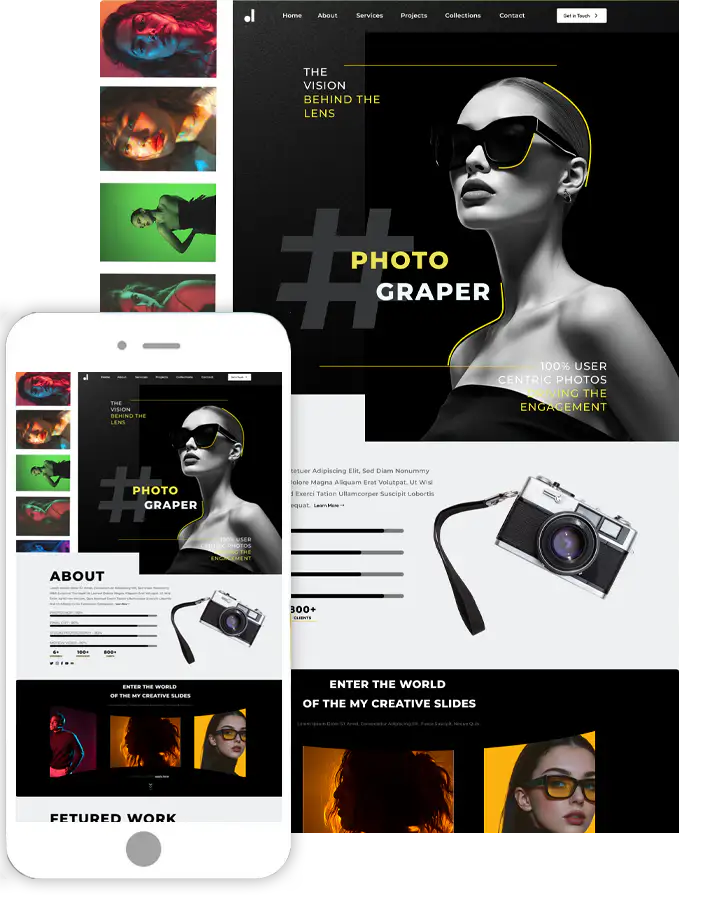
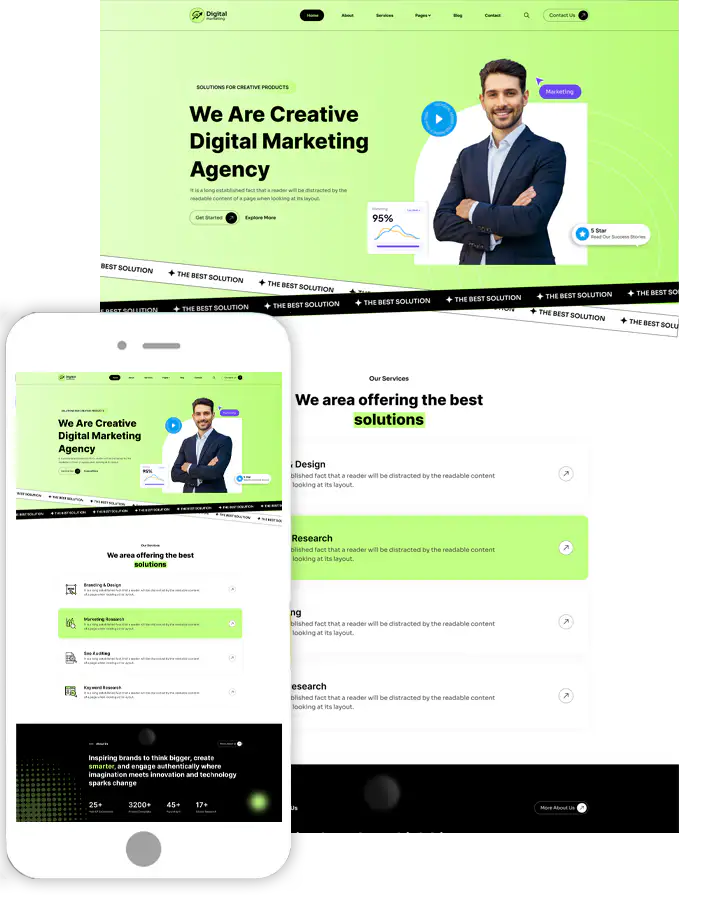
The next step to create a recruitment website on WordPress is selecting a professional theme built specifically for hiring and HR websites. Instead of using a generic design, install a recruitment-focused option like the HR WordPress Theme from ThemesPride, which is structured to support career pages, job listings, and company profiles.
To install it, go to Appearance → Themes → Add New → Upload Theme, select the HR WordPress Theme ZIP file, and click Install, then Activate. After activation, import the demo content if available so you instantly get pre-designed pages such as Careers, About Us, and Job Listings.
Next, visit Appearance → Customize to upload your company logo, adjust brand colors, update typography, and configure the homepage layout. Make sure the homepage clearly highlights open positions and includes a strong call-to-action button directing candidates to available jobs. A recruitment-focused theme ensures your website looks professional while keeping navigation simple and structured for applicants.
Step 4: Add Recruitment Functionality

A theme handles design, but you’ll need a recruitment plugin to manage job postings and applications. Go to Plugins → Add New and install a job board or recruitment plugin that allows you to create listings and accept applications.
Once activated, configure settings such as job submission approval (manual or automatic), required fields, resume uploads, and application methods. Create a sample job listing to see how it appears within your theme layout.
Ensure the plugin integrates smoothly with your theme’s styling so listings look clean and organized. Adjust button styles, spacing, and layout settings if necessary to maintain visual consistency.
Step 5: Build Essential Pages
Now create the core pages your recruitment website needs. Go to Pages → Add New and start with:
- Careers Page
- Job Listings Page
- Application Submission Page
- About the Company Page
If your theme provides pre-built templates, use them to speed up setup. Assign the job listing plugin shortcode or block to the Job Listings page so vacancies display automatically.
On the Careers page, add a short introduction about your company culture and hiring values. The About page should build trust by explaining your mission and team. Keep navigation simple so candidates can easily move between listings and application forms.
Step 6: Configure Job Categories and Filters

A well-organized structure is essential when you create a recruitment website on WordPress. Inside your recruitment plugin, create categories such as department, location, employment type, and experience level.
Enable filtering options so candidates can quickly narrow down listings. For example, users may want to filter by remote positions or full-time roles. After enabling filters, check how they appear on the front end and adjust styling in the theme customizer if needed. Clear navigation and structured listings significantly improve user experience.
Step 7: Set Up Email Notifications

Communication plays a major role when you create a recruitment website on WordPress. In your recruitment plugin settings, enable automatic confirmation emails for applicants after submission.
Next, configure admin notifications so HR receives alerts whenever someone applies. Use a professional email address like [email protected]. Customize email templates to match your branding and include information about the next steps. Proper email setup ensures smooth coordination between applicants and recruiters while maintaining professionalism.
Step 8 : Test the Application Process
Before launching your recruitment website, test everything thoroughly. Visit the front end of your site and submit a sample job application using a different email address.
Check if:
- Resume uploads work correctly
- Confirmation emails are received
- Admin notifications arrive instantly
- Job listings display properly
- Buttons and forms function without errors
Also review the layout on mobile devices to ensure smooth navigation. Testing helps you catch small issues before real candidates interact with your site. Once everything works properly, your recruitment website is ready to go live.
Designing a Candidate-Friendly Interface
A well-designed interface plays a major role in attracting and retaining job applicants. Your website should feel simple, professional, and easy to explore from the moment a candidate lands on it.
To improve user experience, focus on:
- Clear “Apply Now” and “View Details” call-to-action buttons
- Simple and uncluttered navigation menu
- Structured job descriptions with headings and bullet points
- Fast-loading pages for smoother browsing
When writing job descriptions, break content into sections like Responsibilities, Requirements, and Benefits. This makes roles easier to understand. Also, ensure your layout works smoothly on mobile devices since many candidates apply using their phones. A clean interface builds trust and increases completed applications.
Wrapping Up
Building your own recruitment platform allows you to streamline hiring, improve communication, and maintain complete control over candidate management. From selecting reliable hosting to designing a user-friendly interface and implementing structured job listings, every step contributes to a more efficient recruitment process.
When you create a recruitment website, you’re not just launching a page to post vacancies, you’re developing a long-term hiring solution that supports both recruiters and applicants. By focusing on clear navigation, secure data handling, and ongoing maintenance, your website can become a powerful tool that attracts qualified talent and strengthens your organization’s professional presence.
Frequently Asked Questions (FAQs)
1. Why should I build a recruitment website instead of using job portals?
A dedicated recruitment website gives you full control over branding, candidate data, and hiring workflows. Unlike third-party portals, you manage listings, applications, and communication without restrictions or recurring listing fees.
2. Do I need coding knowledge to build a recruitment website on WordPress?
No, you don’t need advanced coding skills. WordPress provides themes and recruitment plugins that allow you to design pages, publish jobs, and manage applications using simple settings and visual tools.
3. What features are essential if I want to create a recruitment website?
Important features include a job listing system, application forms, candidate filtering options, recruiter dashboard, search functionality, and strong data protection measures to ensure a smooth hiring process.
4. How can I make my job listings more visible online?
You can increase visibility by using clear job titles, adding structured data, optimizing descriptions with relevant keywords, and sharing openings across social media platforms and professional networks.
5. How do I keep applicant information secure?
Use SSL certificates, secure form plugins, limited admin access permissions, and strong passwords. Regular updates and security monitoring help protect sensitive candidate data from unauthorized access.
Search
Blog Categories
WordPress Theme Bundle

Bestseller Themes